


Construction companies face specific document management challenges because of the nature of their projects, which typically involve multiple stakeholders, extensive documentation, and strict compliance requirements. It's not always easy to find an application that helps teams manage projects, collaborate, and automate processes without resorting to siloed systems, which only makes it harder for people to be productive.
Getting there doesn’t happen in one leap. We see construction and engineering firms move through three stages with Microsoft 365:
- Stage 1 – Get Organised. Your information, finally in one place.
Drawings, contracts, safety documents, and site diaries become accessible on any device, whether you’re in the office or standing on site, with one home for every document, always the latest version, and secure access from anywhere. - Stage 2 – Automate the Admin. Less paperwork, more time on the job.
Inductions, approvals, and registers become simple digital forms, so no one is chasing signature or re-entering the same data twice. - Stage 3 – Get Smart with Copilot. With information organised and processes digital, Copilot can do the heavy lifting.
It can help your teams summarise a report, draft a policy in seconds, on a foundation that’s already clean.
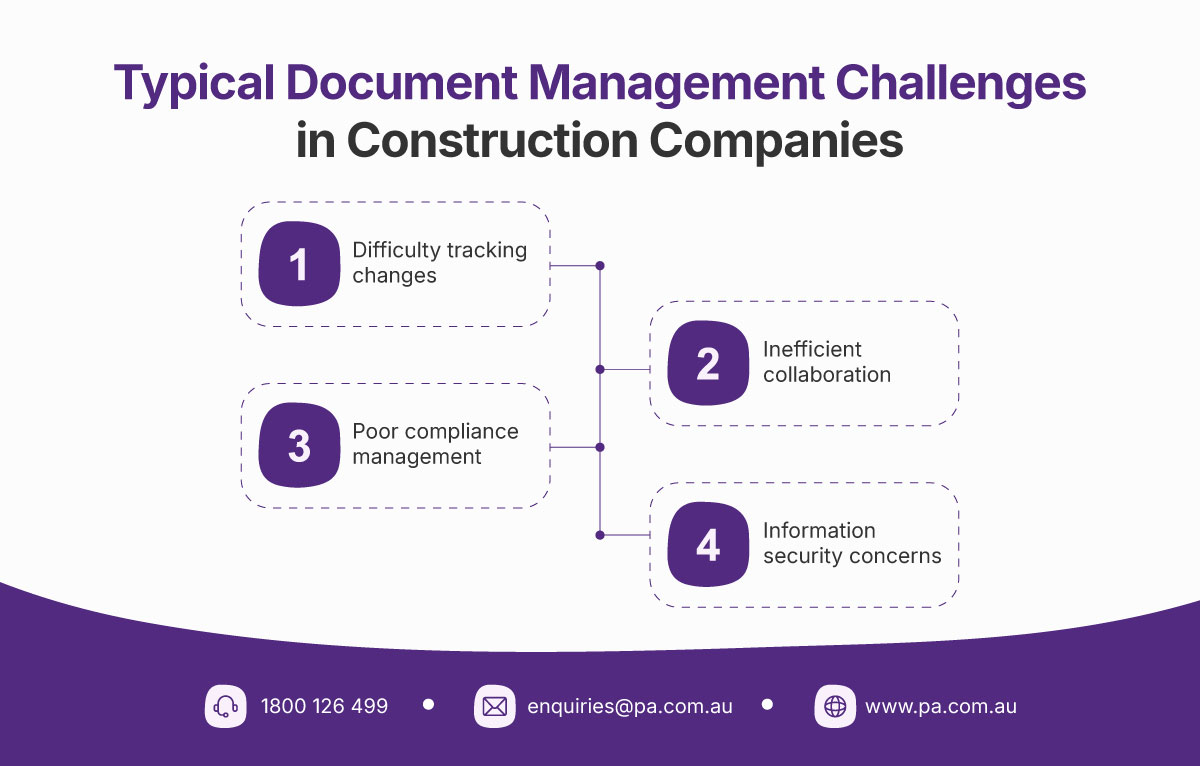
Is your construction company experiencing some of the document management challenges below?

This article is about Stage 1: getting organised. It's the foundation everything else is built on, and proven platforms like Microsoft SharePoint make it far easier for construction companies to achieve.
As a leading content management and collaboration platform, SharePoint meets the document management needs of modern construction companies. And if your organisation has Microsoft 365, chances are you already have it. Exploring SharePoint for your construction document management can make sense to save on costs and provide a better user experience, while setting you up for Stages 2 and 3.
Is your construction company experiencing some of the document management challenges below?
Learn how SharePoint addresses them, and how they map to Stage 1 of getting organised.
Difficulty tracking changes → always the latest version
Construction projects generate massive amounts of documents, including blueprints, contracts, RFIs, and change orders. Managing and retrieving these documents efficiently can be challenging, especially when multiple versions exist, and employees store files across different locations, such as local drives, emails, or third-party platforms. This leads to inconsistent document access and duplication, resulting in design and construction errors, project delays, cost overruns, safety risks, and legal disputes.
SharePoint Solution
SharePoint addresses this issue by providing a single platform for teams to store and retrieve all project documents. Its built-in version control allows users to track changes, access previous versions, and prevent duplication or data loss so everyone is always working from the latest version.
Case in point
Mainbrace Constructions manages project risks by ensuring its teams work with the latest versions of documents on SharePoint.
Inefficient collaboration → secure access from anywhere, on any device
Construction teams work from different locations, on-site and in offices, leading to communication gaps and delays in sharing critical updates. On-site staff often need immediate access to documents, but are constrained by limited access to legacy company systems while in the field.
SharePoint Solution
SharePoint’s co-authoring capability allows teams to update documents in real time, ensuring everyone is working with the latest information. Its advanced search capabilities, metadata tagging, and filters make document location quick and efficient.
Because SharePoint is mobile-friendly, team members can view and edit documents from their phones or tablets, ensuring on-site staff have the information they need wherever they are. It is natively integrated with Microsoft Teams and Office productivity apps, enabling seamless communication and secure document sharing wherever you are.
Case in point
Red Eye Constructions and Interiors improves field productivity and collaboration with SharePoint.
Poor compliance management → one home for every document
Information mismanagement in construction companies can lead to missed deadlines, legal penalties, reputational damage, and financial losses, so strictly adhering to industry regulations, building codes, or environmental regulations is critical. However, managing compliance documents across disparate systems makes it challenging to maintain an accurate, centralised record.
SharePoint Solution
SharePoint supports automated retention policies to archive or delete documents as required. Integrated with iWorkplace for Microsoft 365 or Purview, it helps construction companies better manage, govern, and protect sensitive information, all from one home for every document. SharePoint's metadata tagging makes it easy to categorise and retrieve documents, speeding up the process of finding compliance-related information during audits or inspections.
Cases in point
ADCO Constructions enabled ISO 9001 certification compliance and consolidated real-time field safety data to empower actionable insights with SharePoint.
A large Australian construction company, with around 8,000 employees across 300+ sites, standardised policy creation, review, and approval with a SharePoint-based Policy. Automating the document migration also cut the process from six months to three weeks, avoiding an estimated AUD $250,000 in project costs.
Information security concerns → secure by design
Information security is a significant concern for construction companies due to the sensitive and high-value nature of the data they handle—intellectual property, financial information, and unauthorised access to project or client details. Poor information security can lead to data breaches, project delays, and reputational damage.
SharePoint Solution
SharePoint addresses information security concerns in a number of ways:
- It enables granular permission settings to restrict access to sensitive documents based on user roles.
- All SharePoint data is encrypted in transit and at rest.
- Integrated with Microsoft 365, construction companies can use multi-factor authentication (MFA) to reduce the risk of unauthorised access due to stolen credentials, and Intune to protect project data and remotely wipe devices when stolen or misplaced.
Case in point
Rycon Electrical and Automation ensures that only people with the right permissions can access sensitive information with SharePoint.
Stage 1 is the foundation. The rest of the journey builds on it.
SharePoint is a powerful document management system for construction companies that streamlines document handling, improves collaboration, and maintains high levels of security and compliance. But getting organised is just the start. It’s what makes Stage 2 (automating the admin), and Stage 3 (getting smart with Copilot) possible in the first place. Skip the foundation, and automation and AI end up built on the same scattered, inconsistent information they are meant to fix.
50+ construction, engineering, and real estate development businesses have made this journey with Professional Advantage. Wherever you're starting from, we can help you get there.
If you are exploring SharePoint for your construction document management, contact us to learn how we can help you successfully adopt it. We have been implementing SharePoint for over 20 years, working with numerous construction and engineering organisations in Australia, delivering document management, policy management, Intranet, compliance solutions, and more.



Write a Comment